



AIvox Smart Display Wireless Earbuds
AIvox Smart Display Wireless Earbuds
Active noise cancelling, a touch screen on the case and Bluetooth 5.4 that holds two devices at once — without ever pulling your phone out to skip a track.
- 🔇 Active Noise Cancelling - Both earbuds cut traffic, train and office noise so you hear the music.
- 📱 Touch Screen Case - Play, pause, skip, volume and battery on the case, phone stays away.
- 🔗 Two Devices At Once - Bluetooth 5.4 multipoint jumps from phone call to laptop meeting instantly.
- 🔋 20+ Hours With Case - Five to six hours per charge, then the USB-C case tops them up.
- 🔍 Find My Earbuds - Lost one down the sofa? Trigger it from the case and follow the sound.
Buy More & Save More
Couldn't load pickup availability
AIvox Smart Display Wireless Earbuds

I do the 7.40 train into Glasgow every morning and the noise cancelling turns the carriage into a library. The screen on the case is the bit I did not expect to use, but I skip tracks from my coat pocket now without touching my phone.


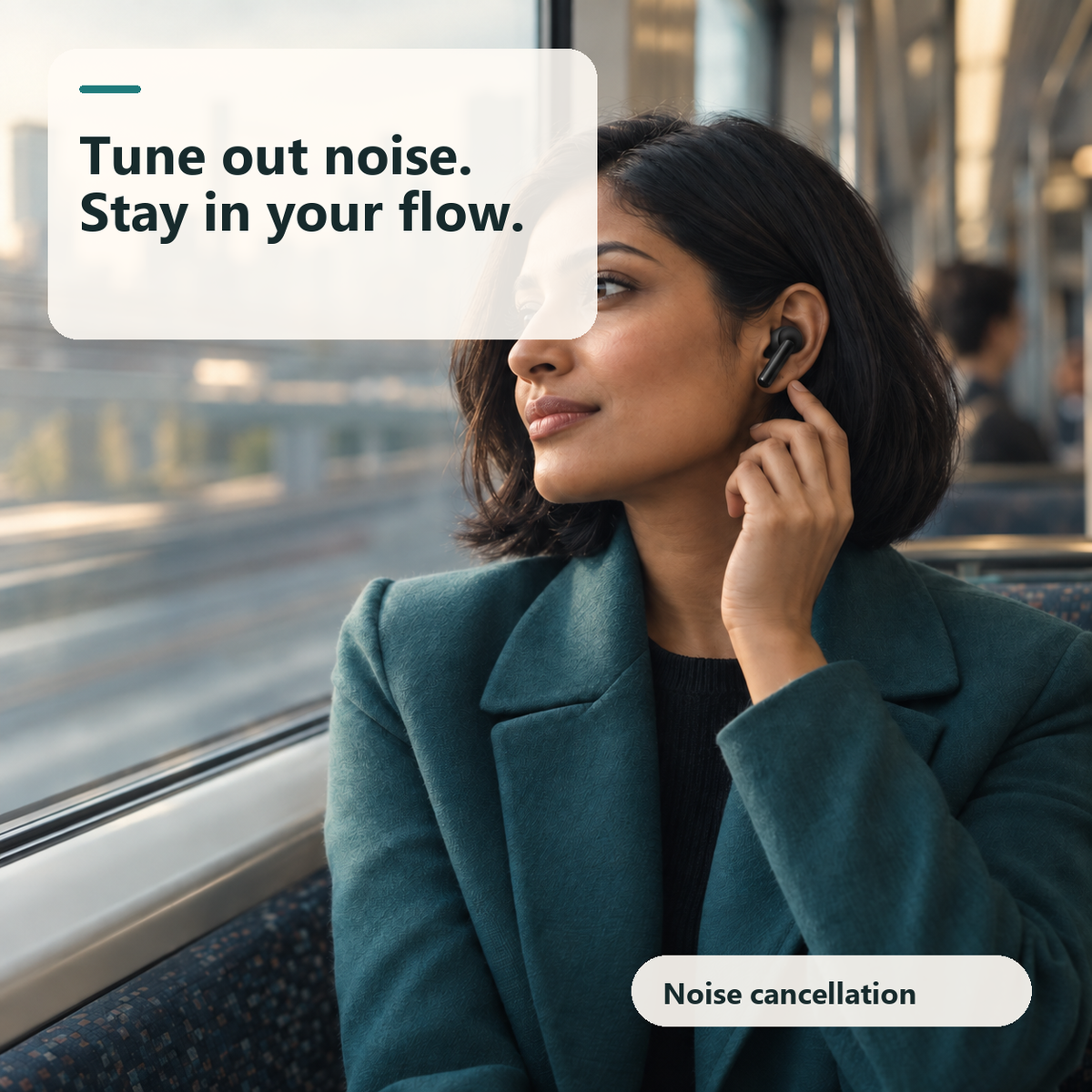
Why Everyone's Talking About the AIvox Smart Display Noise Cancelling Earbuds
Active noise cancelling on both earbuds and a colour touch screen built into the case — the reason commuters, gym-goers and home workers are leaving their phone in their pocket all day.


The Controls Live On The Case
Open the lid and there is a colour touch screen where other cases have a single LED. Play, pause, skip a track, nudge the volume, switch sound effects and read the exact battery of each earbud and the case. The AIvox screen also fires Find My Earbuds, so a bud lost in the car turns up in seconds.

Turn The Commute Down
Active noise cancellation runs on both earbuds, not just one. The low rumble of a train carriage, the bus engine, the coffee machine in the open-plan office all drop away, and what is left is your podcast at a normal volume. With AIvox you stop turning the volume up to compete with the room.

Two Devices, Zero Re-Pairing
Bluetooth 5.4 multipoint keeps the earbuds connected to your phone and your laptop at the same time. A call comes in while you are on a video meeting and the audio simply switches over, then switches back. AIvox holds a stable connection at up to 10 metres, and 13 mm Hi-Fi drivers keep voices clear on both.

A Full Day On One Case
Each charge gives five to six hours of listening, and the case carries enough for more than twenty hours in total before it needs the USB-C cable. Drop the earbuds back in and they charge automatically, no button to press. The AIvox case is small enough for a jeans pocket, so it goes where you go.
How to Use AIvox
There is nothing to install and no app to sign up for. Charge the case once over USB-C, wait fifteen minutes on the very first charge, and hold the button on the case for three seconds to switch it on. From there the earbuds pair like any other Bluetooth device and remember your phone for next time.
-

Charge The Case
Plug in the USB-C cable and let the case charge fully before first use
-

Pair Your Phone
Open Bluetooth settings, find AIvox in the list and tap once to connect
-

Tap And Swipe
Tap an earbud to play or answer, swipe up or down to change volume
-

Dock And Forget
Drop the earbuds back in the case at night and they charge automatically


Free Tracked Shipping!
Free Tracked Shipping!
Free Tracked Shipping!
Free Tracked Shipping!
Free Tracked Shipping!
Free Tracked Shipping!
Free Tracked Shipping!
Free Tracked Shipping!
Free Tracked Shipping!
Free Tracked Shipping!
Free Tracked Shipping!
Free Tracked Shipping!
Free Tracked Shipping!
Free Tracked Shipping!
Free Tracked Shipping!
Free Tracked Shipping!
AIvox vs Others
Active noise cancelling, a touch screen on the case and two-device pairing — here is how it stacks up against the earbuds you already know.

|
Others | |
|---|---|---|
Active noise cancellation |
||
Touch screen on the case |
||
Two-device multipoint pairing |
||
Find My Earbuds function |
||
Bluetooth 5.4 connection |
||
20+ hours with the case |
||
Touch controls on each earbud |
||
UK returns and support |
We have the answers to all your questions
Frequently asked questions
What are the AIvox earbuds for?
Music, podcasts and calls anywhere noisy — the commute, the gym, the open-plan office — with the controls on the case instead of your phone.
Do I need an app or a subscription?
No. Everything runs from the touch screen on the case and the touch areas on the earbuds. There is nothing to download or pay for.
What can I do from the screen on the case?
Play, pause, skip, adjust volume, switch sound effects, check the battery of each earbud and the case, and trigger Find My Earbuds.
How long does the battery last?
Five to six hours of listening per charge, and the case holds enough for more than twenty hours in total before it needs the USB-C cable.
Can I connect them to two devices at the same time?
Yes. Bluetooth 5.4 multipoint keeps your phone and laptop connected together, so a call switches over and back without re-pairing.
Will they stay in during a run?
The in-ear design sits securely for running, HIIT and long commutes. Tap and swipe controls work with sweaty fingers as well as dry ones.
How do I pair them for the first time?
Charge the case, hold its button for three seconds, then pick AIvox in your phone's Bluetooth list. They reconnect automatically after that.
Is there anything I should be careful about?
Keep the volume at a comfortable level, especially with noise cancelling on, and take them out while cycling or crossing roads where you need to hear traffic.