



Pixvane Retro Handheld Game Console
Pixvane Retro Handheld Game Console
15,000+ built-in games across 20+ classic systems on a 3.5-inch IPS screen — switch it on and play, with no downloads, no Wi-Fi and no cartridges to lose.
- 🕹️ 15,000+ Games Built In - A ready-made library on the card, so there is nothing to download.
- 🎮 20+ Classic Systems - Arcade, console and handheld favourites from the eighties and nineties in one.
- 📱 3.5-Inch IPS Screen - Crisp 640×480 colour with wide viewing angles for sharing with a friend.
- 🔋 Rechargeable Battery - Tops up over USB-C from the same cable that charges your phone.
- 👨👩👧 Family-Friendly Design - Simple controls anyone can pick up, from grandparents to the kids.
Buy More & Save More
Couldn't load pickup availability
Pixvane Retro Handheld Game Console

I keep it in my coat for the forty-minute train into Glasgow and still haven't reached the end of the game list. Saving mid-level means I never lose my place when my stop comes up.


Why Everyone's Talking About the Pixvane Retro Handheld
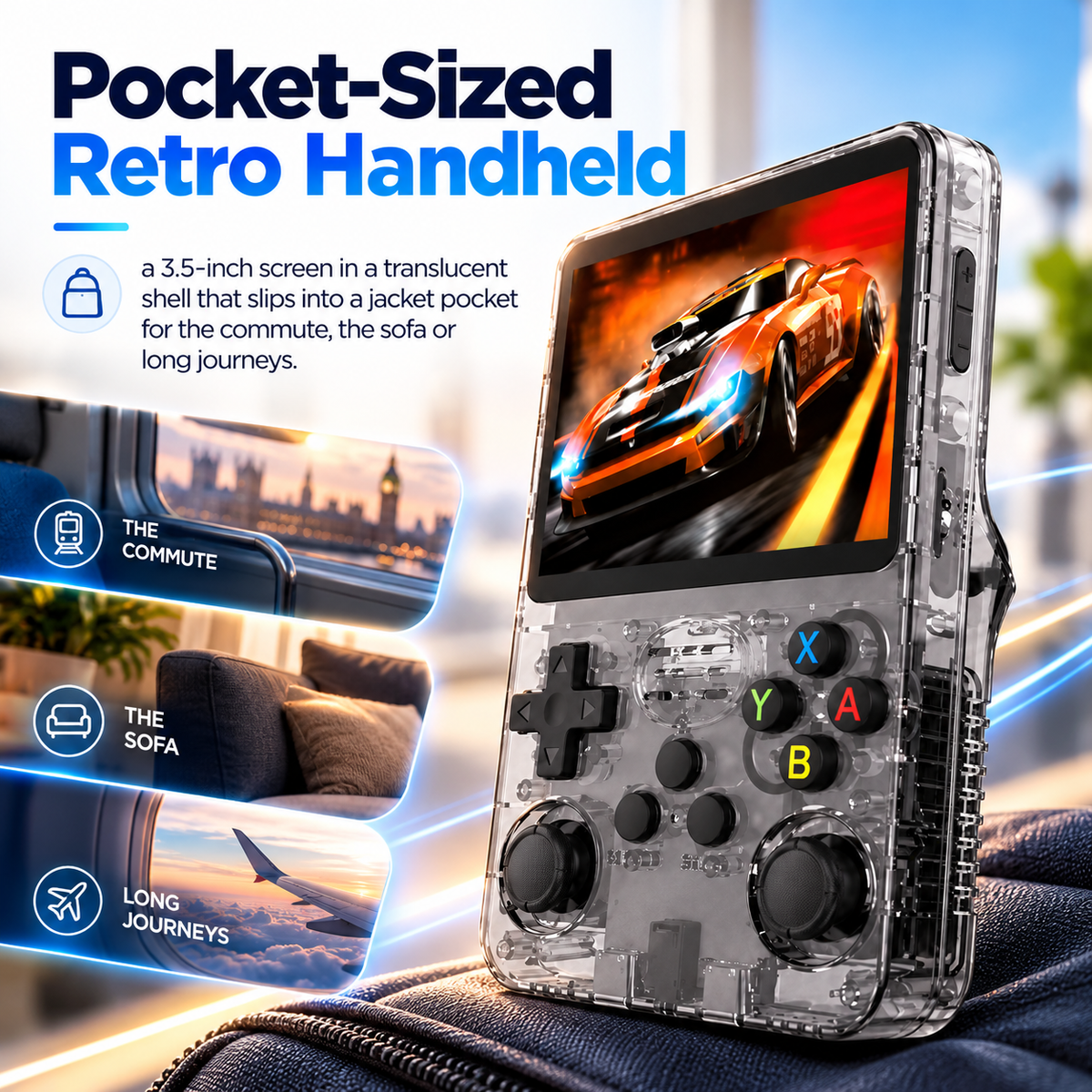
15,000+ built-in games and twin analogue sticks in a shell that fits a jacket pocket — the reason commutes and car journeys feel shorter, and why the family keeps borrowing it.


Fifteen Thousand Games, Ready To Play
Switch on the Pixvane and the library is already there: more than 15,000 built-in games across over 20 classic systems, from arcade cabinets to the handhelds of the nineties. There is nothing to download, no Wi-Fi to set up and no account to create. Pick a system, pick a game, play.

Stop Exactly Where You Are
Old consoles made you reach a checkpoint before switching off, which is no use when your stop is next. Press SELECT with a shoulder button and the Pixvane Retro Handheld saves that exact moment. The opposite shoulder brings it back later, mid-jump if that is where you left it.

A Brighter Screen, A Translucent Shell
The 3.5-inch IPS screen keeps colours true even when someone is watching over your shoulder, and 640×480 resolution keeps pixel art sharp. Around it, a translucent shell nods to the see-through consoles of the late nineties. The Pixvane Retro Handheld sits comfortably in two hands for long sessions.

Pocket-Sized And Ready For Everyone
It slips into a coat pocket or a child's rucksack, so the train, the waiting room and the back seat are covered. The rechargeable battery tops up over USB-C, and the Pixvane Handheld is simple enough for grandparents and kids to share, which makes it an easy stocking filler.
How to Use the Pixvane Handheld Console
There is nothing to install, download or sign into. Charge it over USB-C, press the power key and the menu loads with every system already listed. Choose one, scroll to a game and play. The 15,000+ games live on the built-in card, so the Pixvane is ready the day it arrives.
-

Charge It Up
Connect the USB-C cable to a phone charger; a steady red light means charging
-

Power It On
Press the power key and the menu loads with every system listed
-

Pick A Game
Choose a system, then scroll through its games and press A to start
-

Save And Return
Save mid-game with SELECT and a shoulder button, then pick it up tomorrow


Free Tracked Shipping!
Free Tracked Shipping!
Free Tracked Shipping!
Free Tracked Shipping!
Free Tracked Shipping!
Free Tracked Shipping!
Free Tracked Shipping!
Free Tracked Shipping!
Free Tracked Shipping!
Free Tracked Shipping!
Free Tracked Shipping!
Free Tracked Shipping!
Free Tracked Shipping!
Free Tracked Shipping!
Free Tracked Shipping!
Free Tracked Shipping!
Pixvane vs Others
15,000+ built-in games, a 3.5-inch IPS screen and twin analogue sticks — here is how it compares with the budget handhelds you see advertised.

|
Others | |
|---|---|---|
15,000+ built-in games |
||
20+ classic systems |
||
3.5-inch IPS screen |
||
Twin analogue joysticks |
||
Save-anywhere progress |
||
Rechargeable USB-C battery |
||
3.5mm headphone jack |
||
UK returns and support |
We have the answers to all your questions
Frequently asked questions
What is the Pixvane Retro Handheld?
A pocket-sized games console with 15,000+ built-in games across 20+ classic systems, on a 3.5-inch IPS screen.
Do I need Wi-Fi, an app or a subscription?
No. The games are already on the device, so there is no download, no account and no subscription.
Can I save my progress mid-game?
Yes. Press SELECT with a shoulder button to save at any point, and the opposite shoulder to load it back.
How is it powered?
By a rechargeable battery that tops up over USB-C from a standard phone charger. The red light flashes when it needs charging.
How many games and systems are included?
More than 15,000 games across over 20 classic systems, plus a second card slot supporting up to 256GB.
Is it suitable for the whole family?
Yes. The controls are simple enough for children and grandparents alike, and the size suits smaller and adult hands.
Where can I use it?
Anywhere — the train, the sofa, the back seat of the car. Plug headphones into the 3.5mm jack for quiet play.
Is there anything I should know before playing?
Anyone with photosensitive epilepsy should check with a doctor before playing video games, and everyone should take regular screen breaks.